API Quickstart
This quickstart uses the hosted backend at https://backend.specterpq.com. For local development, see Development Setup.
The full flow in 4 steps
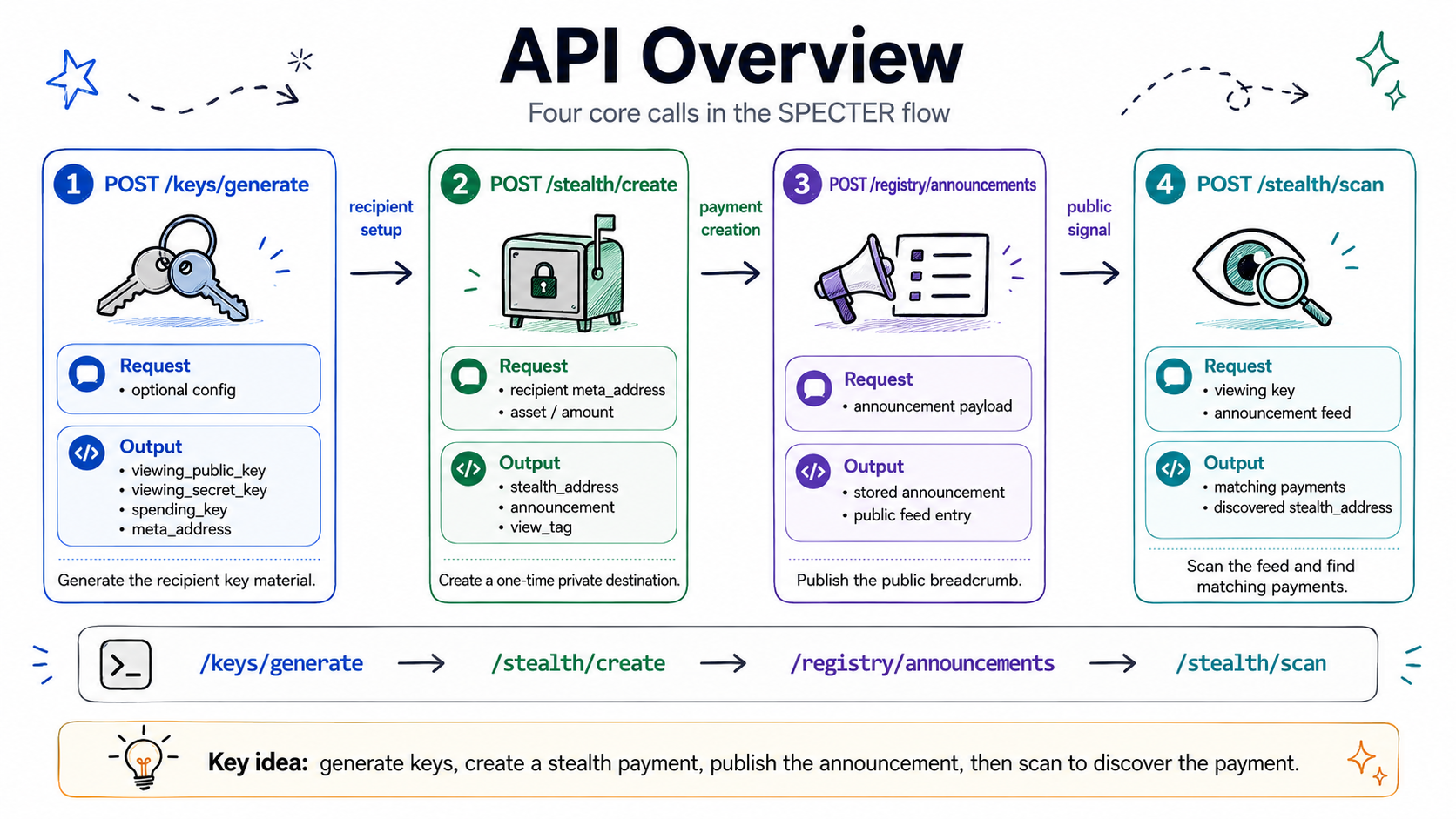
Step 1: Generate recipient keys
curl -s -X POST https://backend.specterpq.com/api/v1/keys/generate | tee /tmp/specter-keys.json
META_ADDRESS=$(jq -r '.meta_address' /tmp/specter-keys.json)
VIEWING_SK=$(jq -r '.viewing_sk' /tmp/specter-keys.json)
SPENDING_PUB=$(jq -r '.spending_pub' /tmp/specter-keys.json)
This creates a hybrid identity — a secp256k1 spending keypair plus an ML-KEM-768 viewing keypair — and bundles the two public keys into a meta_address.
Step 2: Create the stealth payload
curl -s -X POST https://backend.specterpq.com/api/v1/stealth/create \
  -H 'Content-Type: application/json' \
  -d "{\"meta_address\":\"$META_ADDRESS\"}" | tee /tmp/specter-create.json

PAYMENT_ID=$(jq -r '.payment_id' /tmp/specter-create.json)
STEALTH_ADDRESS=$(jq -r '.stealth_address' /tmp/specter-create.json)
echo "Stealth destination: $STEALTH_ADDRESS"
The API encapsulates to the recipient's viewing_pk, derives a shared secret, stores the server-built announcement behind payment_id, and computes the stealth address + view tag.
Step 3: Publish the announcement
curl -s -X POST https://backend.specterpq.com/api/v1/registry/announcements \
  -H 'Content-Type: application/json' \
  -d "{\"payment_id\":\"$PAYMENT_ID\",\"tx_hash\":\"0x1111111111111111111111111111111111111111111111111111111111111111\",\"amount\":\"0.01\",\"chain\":\"ethereum\"}" | jq .
Step 4: Scan and recover
curl -s -X POST https://backend.specterpq.com/api/v1/stealth/scan \
  -H 'Content-Type: application/json' \
  -d "{\"viewing_sk\":\"$VIEWING_SK\",\"spending_pub\":\"$SPENDING_PUB\"}" | jq .
You should see:
- One discovery in the results
stealth_addressmatching what you got in step 2shared_secretfor this match — combine it with your spending secret key locally to derive the spendable stealth private key
The scan is spend-key-free: it takes only viewing_sk + spending_pub and never returns private keys. Still treat viewing_sk and each shared_secret as secret material — a shared secret plus your spending secret key recovers a spendable key.
What just happened?
You ran the complete SPECTER protocol:
- Key generation - Created a secp256k1 spending keypair + an ML-KEM-768 viewing keypair
- Payment creation - Used ML-KEM encapsulation to derive a one-time stealth address
- Announcement - Published the encrypted breadcrumb
- Scanning - Used view tag filtering + ML-KEM decapsulation to find and recover the payment
The stealth address from step 2 has no visible link to the meta-address from step 1. That's the privacy.


